

T12A Desoldering Station - Hot Air Gun, Suction Pen and STM32 Soldering Iron
EU Plug 220V
$352.02
Sale price
$352.02
Regular price
$0.00
Skip to product information



T12A Desoldering Station - Hot Air Gun, Suction Pen and STM32 Soldering Iron
$352.02
Sale price
$352.02
Regular price
$0.00
SPECIFICATIONS
Battery Included: no
Brand Name: NONE
Choice: yes
Origin: Mainland China
Note:
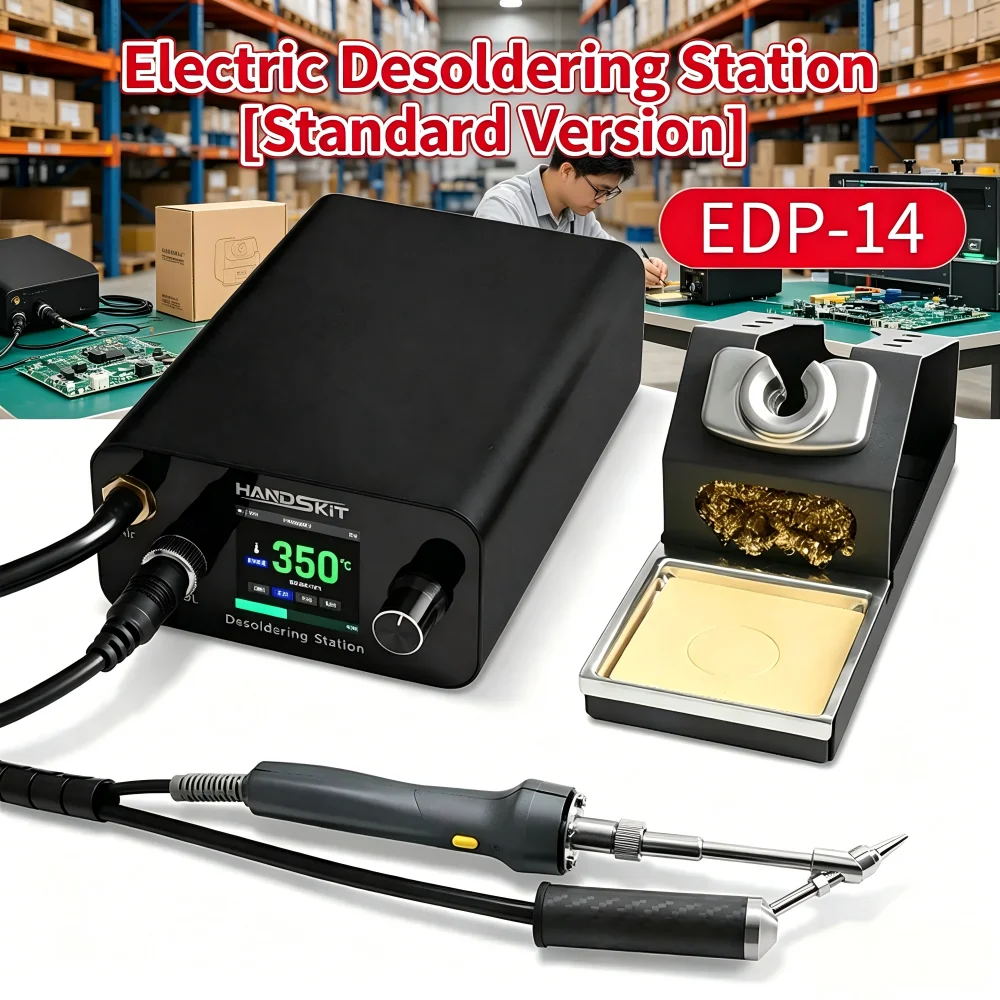
Version update: The product host section has been replaced with the first image version on the details page.
⚙️ Function and Parameters
- Digital Temperature Control 📊
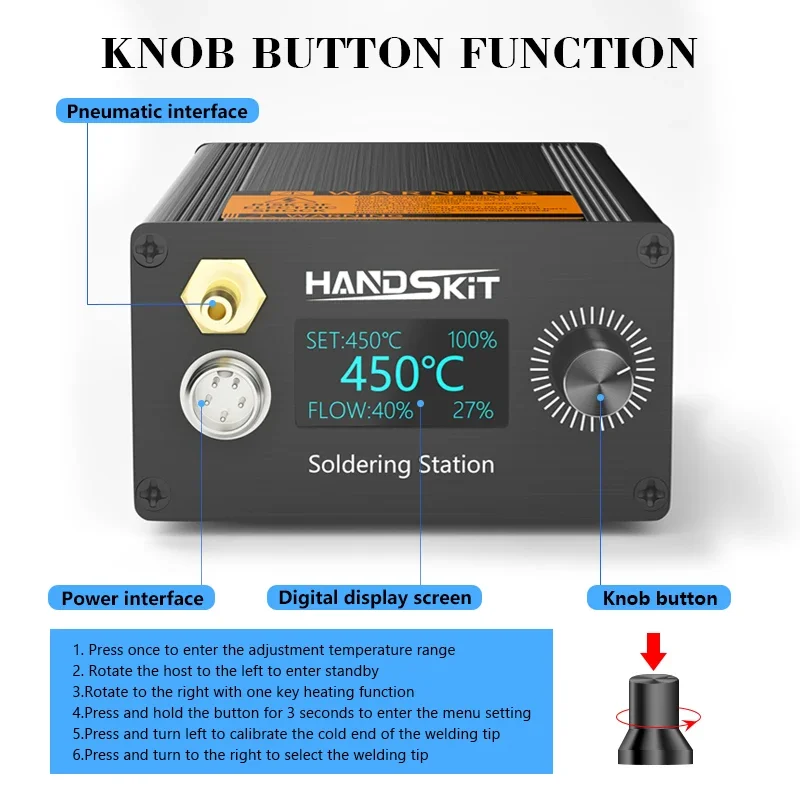
The display screen shows the temperature (e.g. 450℃) and tin suction flow rate (e.g. 40%) in real time. The knob adjusts the temperature (range: 0-450℃) and tin suction flow rate (0-100%).
- Tin Suction Design 🌀
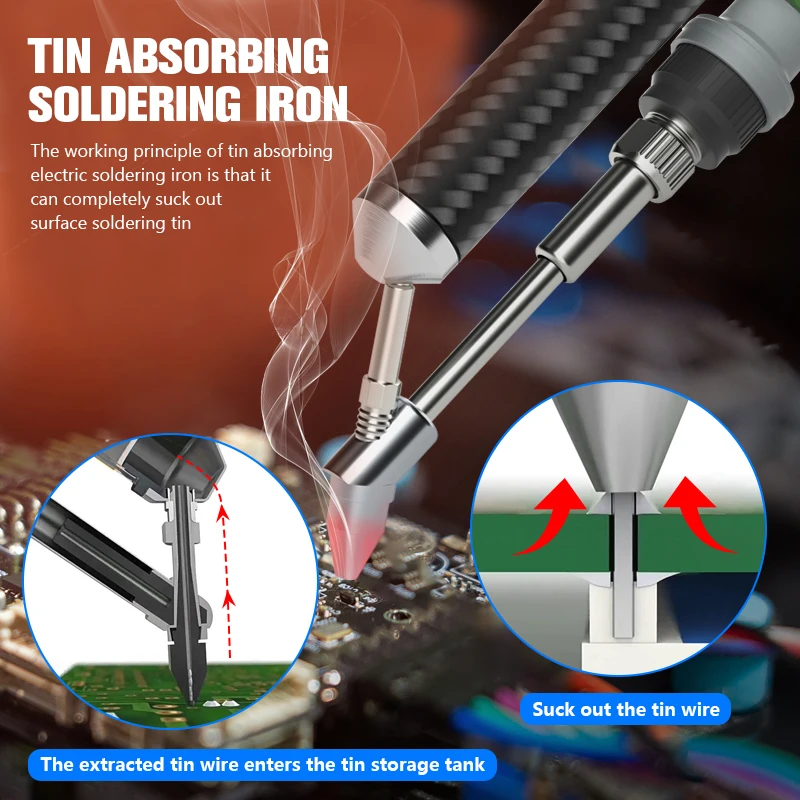
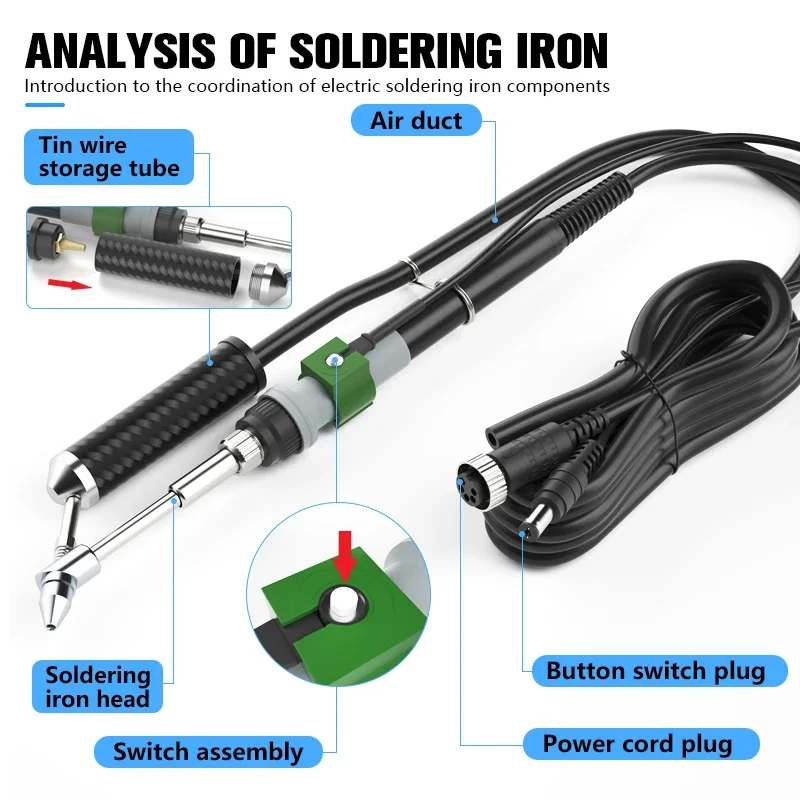
Electric drive, no manual pressing required, automatically completes tin slag adsorption, suitable for small solder joints.
- Safety Protection 🛡️
The yellow warning label on the body indicates the risk of high temperature, and the metal welding head is separated from the insulated handle.
📝 Usage Steps
- Preparation 🔌
Plug the soldering station into a 220V power source, and the display screen will light up; connect the tin sucker to the power source, and check the installation of the tin suction nozzle.
- Welding 🔥
Adjust the temperature to 300-450℃. Once it stabilizes, allow the welding head to contact the soldering point for 2-3 seconds, and then apply solder to form a rounded solder joint.
- Tin Suction 🧹
Adjust the tin suction flow to 50%-80%, align the tin suction nozzle with the solder joint (at a distance of 1-2mm), and press the tin suction switch to adsorb the tin slag.
⚠️ Precautions
- Avoid letting the welding head come into contact with the skin. Allow it to cool down before storing it after use. Regularly clean the tin residue from the suction nozzle and check the power cord for any damage.
- For electronic soldering / desoldering purposes only, do not use on non-metallic surfaces or in high-temperature environments.
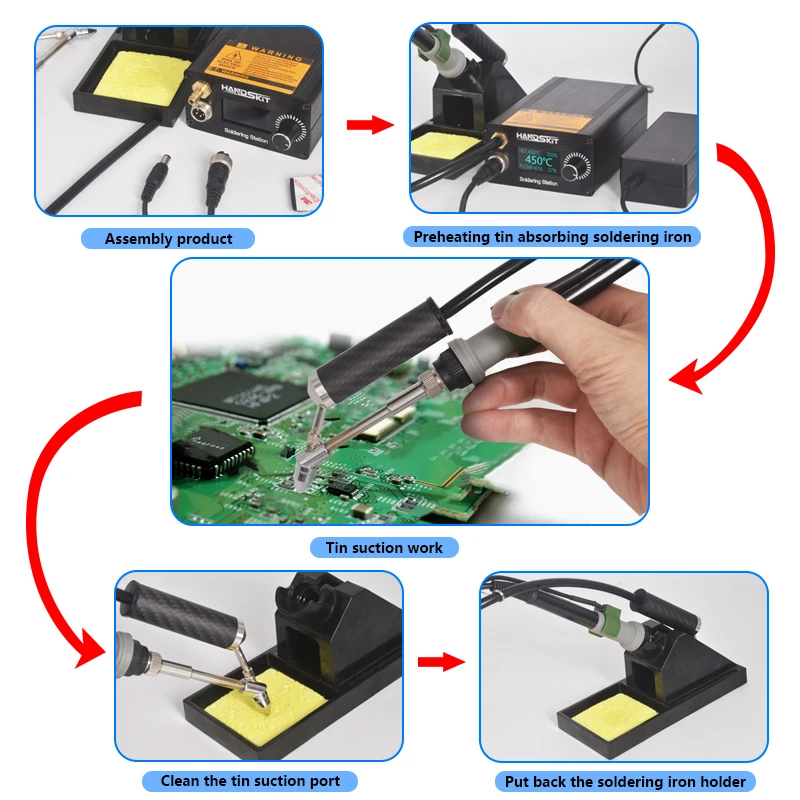
📋 I. Schematic Diagram of Operation Process
1. Power-on and Parameter Setting ⚡
Connect the power supply to the soldering station. Once the display screen lights up, adjust the target temperature (typically 350-400℃ for soldering) and the tin suction flow rate (50% is recommended for first-time use) using the knob.
Wait for 3-5 seconds until the temperature stabilizes (the temperature number on the display stops flashing) before starting to operate.
2. Welding Operation 🔥
Hold the soldering pen and let the soldering tip lightly touch the soldering point, staying for 1-2 seconds for preheating.
Deliver the solder to the contact point between the soldering tip and the soldering point. Once the solder melts and encapsulates the soldering point, remove the soldering pen to complete the soldering process.
3. Tin Suction Operation 🌀
Align the tin suction nozzle with the solder joint to be desoldered (maintain a distance of 1-2mm to avoid direct contact with the high-temperature soldering head).
Press the tin suction switch, and the tin slag will be automatically sucked into the tin suction device. It is recommended that the single tin suction time not exceed 3 seconds to prevent the tin suction nozzle from overheating.
📢 II. Explanation of Safety Warning Diagram
(The following scenarios require special attention to avoid potential safety hazards)
⚠️ High Temperature Warning: The temperature of the soldering tip can reach up to 450℃ during operation. It is strictly prohibited to touch the soldering tip or any metal parts. After use, be sure to place the soldering pen back into its holder and allow it to cool for at least 5 minutes.
⚠️ Circuit Protection: Do not use in humid environments or when in contact with water. If the power cord is damaged, immediately stop using it and replace it.
⚠️ Maintenance of the Tin Suction Nozzle: If there are residual tin slag after tin suction, it is necessary to promptly clean it with a dedicated tool (such as the included cleaning needle) to avoid blockage and affecting the suction force.
💡 III. Daily Maintenance Tips
- After each use, wipe the soldering iron tip with a clean sponge to remove residual solder and extend its service life.
- When the tin storage bin of the tin suction device is full, it needs to be disassembled and cleaned to prevent tin slag from overflowing.
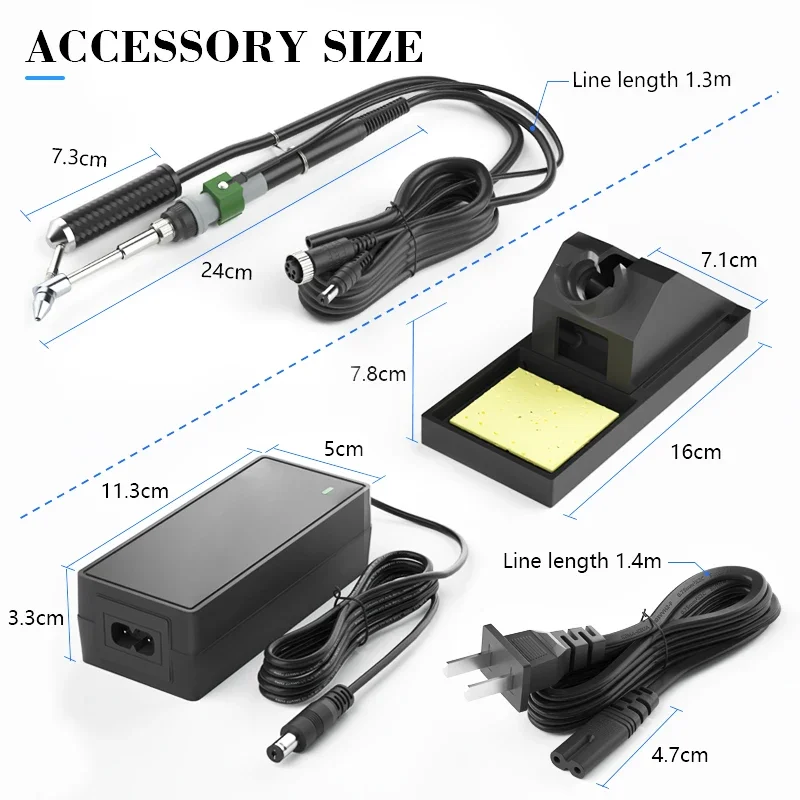
📐 Product Specification
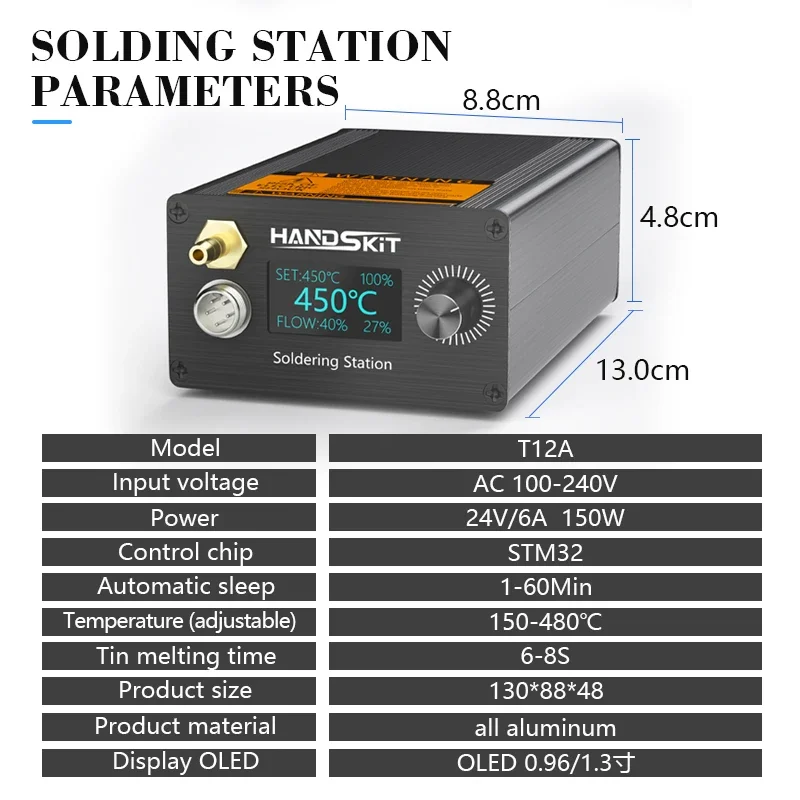
- Input voltage: AC 100-240V
- Power: 24V/6A 150W
- Adjust Temperature: 150-480℃, it is recommended to set the temperature between 350-380°C
- Display Oled: 1.96/1.3cun
- Control chip: STM32
- Color: As Shown
- Material: Metal+Plastic
🎁 Package Contents
1 SET x T12A Suction Tin Gun Desoldering Station
💡 Notes
- Please allow slight size error due to manual measurement.
- Color may be slightly different due to different monitor settings.
- If you have any questions, please feel free to contact us.
Soldering Station Power:~150W
Power Supply:72W
Note: Welding station power and power supply power are different.